Authentication
This API uses Bearer Token for authentication. All endpoints require the user to be authenticated with a valid API token. The token must be included in the request headers for the user to access the resources.
Obtaining an API Token
To authenticate, users must first obtain an API token. Follow these steps:
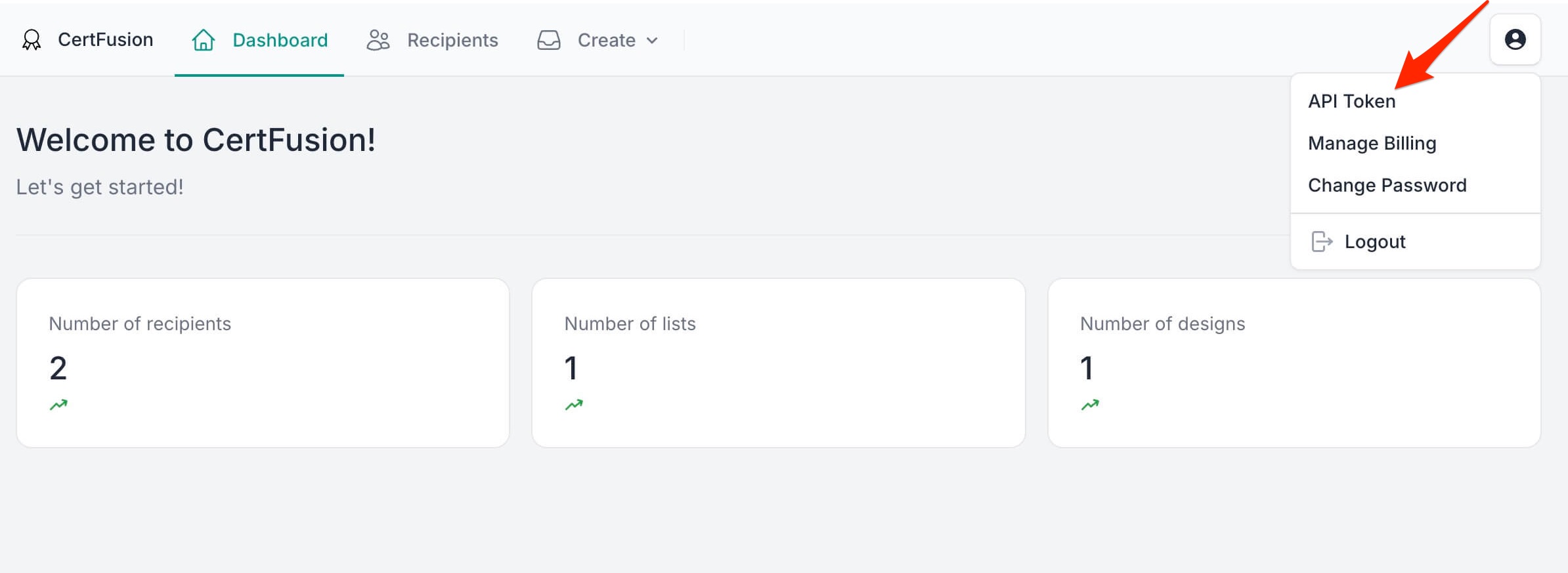
- Log in to your account and click "API Token" in the top right corner.
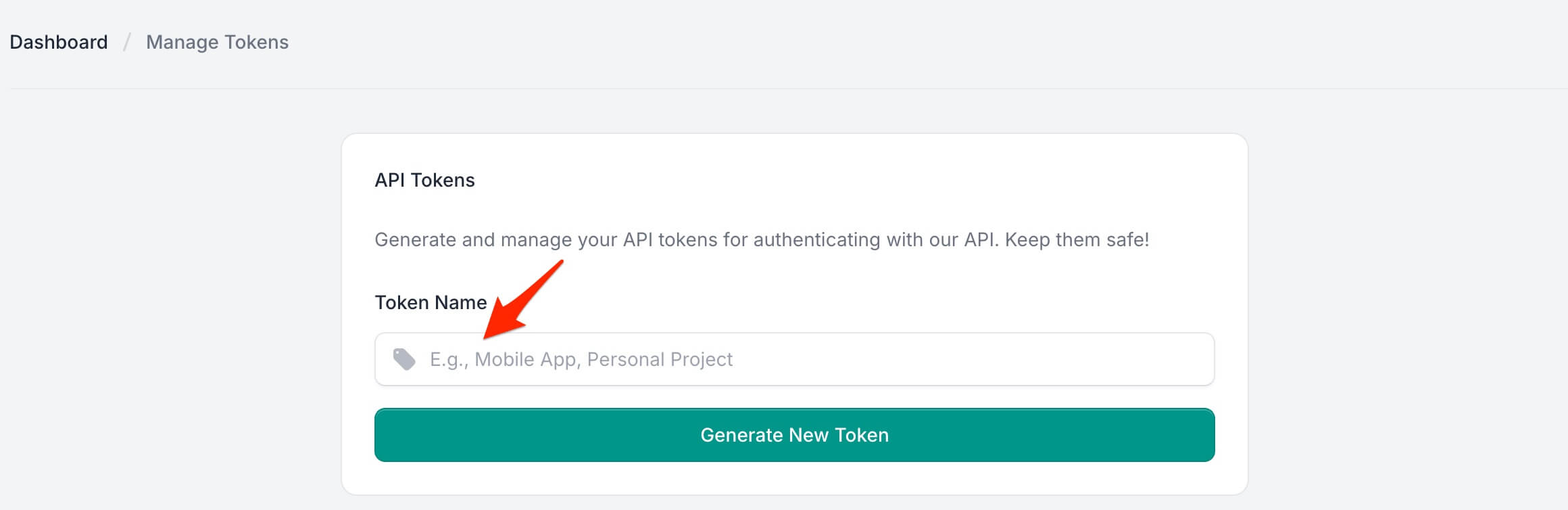
- Enter a name for your token and click "Generate New Token".
- Copy the generated API token and save it somewhere safe, as it will never be shown again.
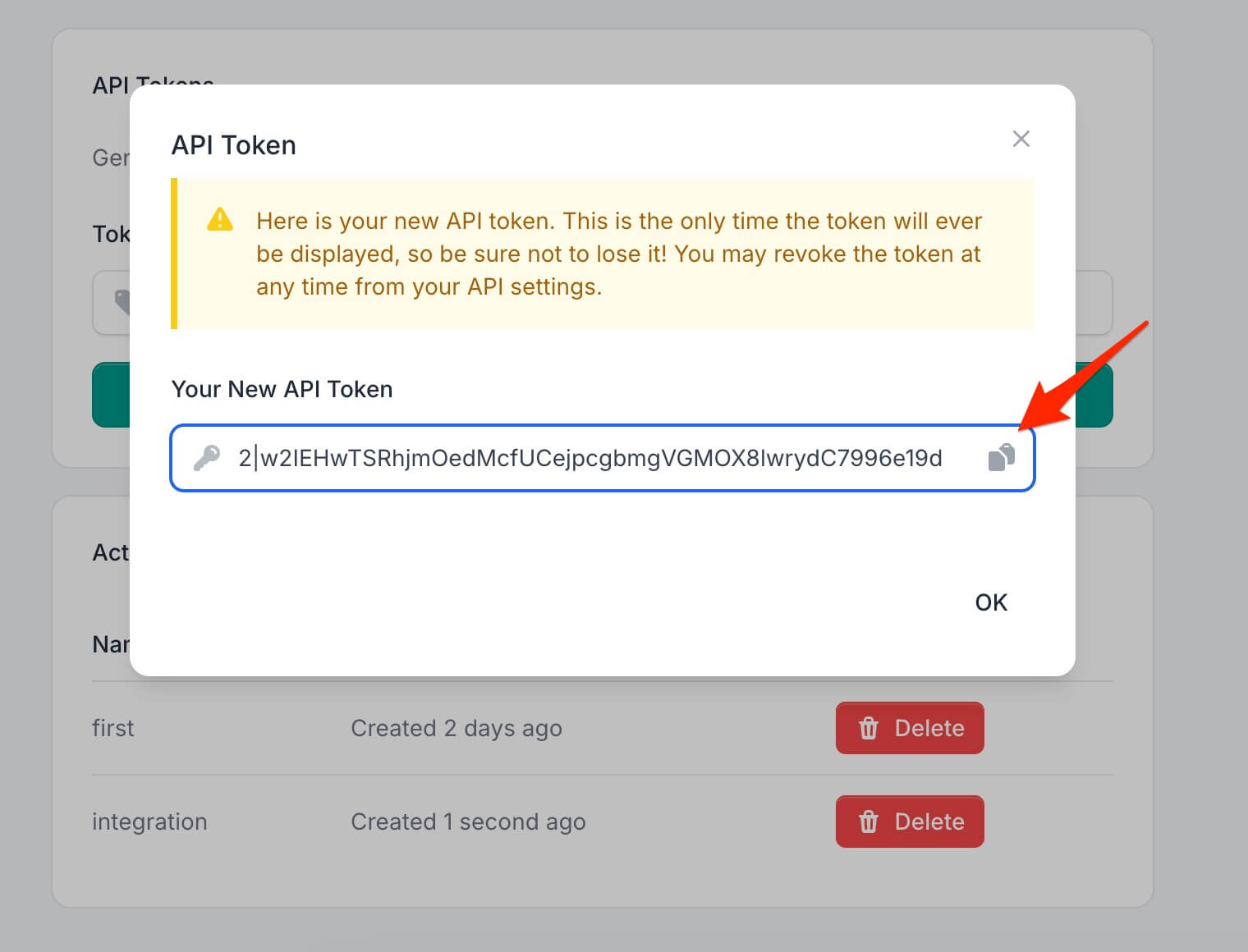
Once you have the API token, include it in the request headers to authenticate your API calls.
Verify Authentication
To verify if the authentication token is valid and to retrieve the authenticated user's details, use the following endpoint:
- Endpoint:
GET /api/me
This endpoint returns the current user's information if the provided API token is valid.
Request Example
GET /api/me
Authorization: Bearer <your-api-token>
Where <your-api-token> is the token you received after successful login or registration.
Response Example (Success)
{
    "name": "John Doe",
    "email": "john.doe@example.com",
    "quota": {
        "used": 120,
        "limit": 1000,
        "remaining": 880
    }
}
name: The name of the authenticated user.email: The email associated with the authenticated user.quota: The certificate quota of the account for the current billing month.used: Certificates issued this month.limit: Monthly certificate limit of the current plan.-1means unlimited.remaining: Certificates that can still be issued this month (limit - used; a very large number on unlimited plans).
Response Example (Unauthorized)
If the token is invalid or missing, the response will be:
{
    "status": false,
    "message": "Unauthenticated"
}
This confirms that the user is not authenticated and the token is either missing or incorrect.